
21 Everyday Tasks SMBs Should Automate (To Save 5 Hours/Day)
Discover the 21 business tasks small and mid-sized businesses should automate to reclaim 5+ hours daily, eliminate manual work, and scale without burnout.

Introduction: The Hidden Productivity Crisis in Small Businesses
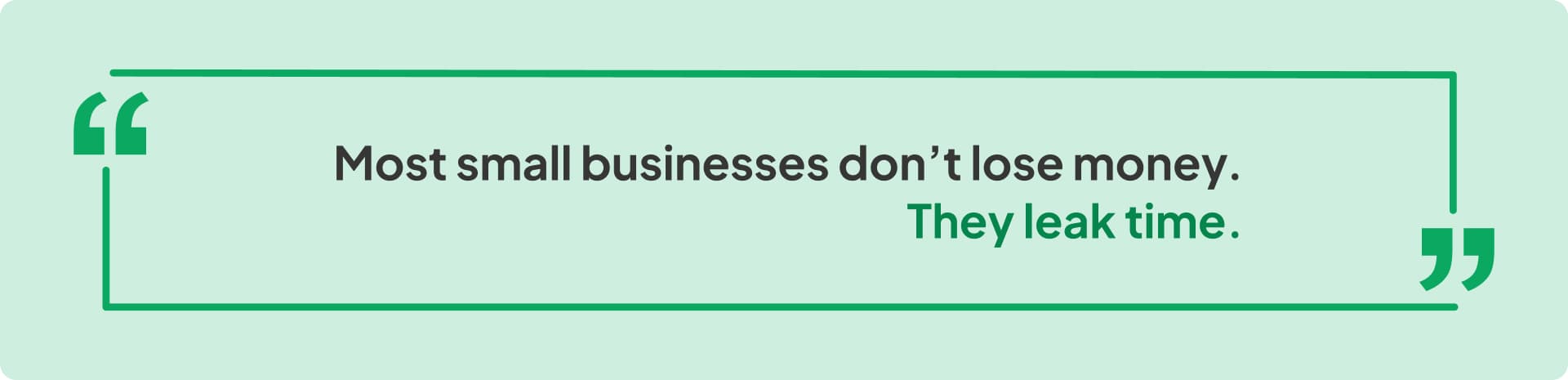
If you run a small or mid-sized business, this isn't just a quote. It's your calendar.
Your day starts with good intentions. Today is the day you'll focus on growth strategy, revenue, partnerships, and scaling the business.
Instead, reality takes over.
First, you reply to WhatsApp business messages—customers asking the same questions you answered yesterday. Then emails, some urgent, some not, all demanding attention. Then a follow-up you meant to send yesterday, but forgot. Then a quick social media post, because consistency matters. Then another lead notification pops up. You update a spreadsheet, check reports across three tools. Then reminders. Then internal pings.
And suddenly, it's evening.
You worked all day. You were busy all day. But nothing that actually moves the business forward happened.
No leverage. No systems. Just effort.
This isn't because you're bad at time management. It's not because you lack discipline. It's because manual execution quietly taxes every growing business:
- Manual marketing
- Manual follow-ups
- Manual customer communication
- Manual reporting
- Manual task coordination
Each task seems small—harmless, "just five minutes." But together, they form a silent productivity tax that compounds daily, until burnout feels inevitable and growth feels slower than it should.
The Real Cost of Manual Work: What's Actually Happening
Most SMBs never calculate the true cost of manual processes:
- Lost hours that could be spent on strategy
- Missed opportunities due to delayed responses
- Inconsistent execution because nothing is systemized
- Leads going cold because follow-ups slip through the cracks
- Customers waiting too long for responses
- Delayed growth because the team is stuck in reactive mode
Here's the uncomfortable truth: Hard work doesn't fix this. More people don't fix this. Longer hours don't fix this.
Only automation does.
In today's always-on economy, automation isn't a luxury anymore. It's not a "later" project. It's not just for enterprises. It's the only way SMBs scale without burning out their teams or themselves.
Why SMBs Feel Overworked (Even When They're Doing Everything Right)
At the start, everything feels manageable. You respond to leads personally. You post when you remember. You follow up when you have time. You track things "in your head." Then growth happens.
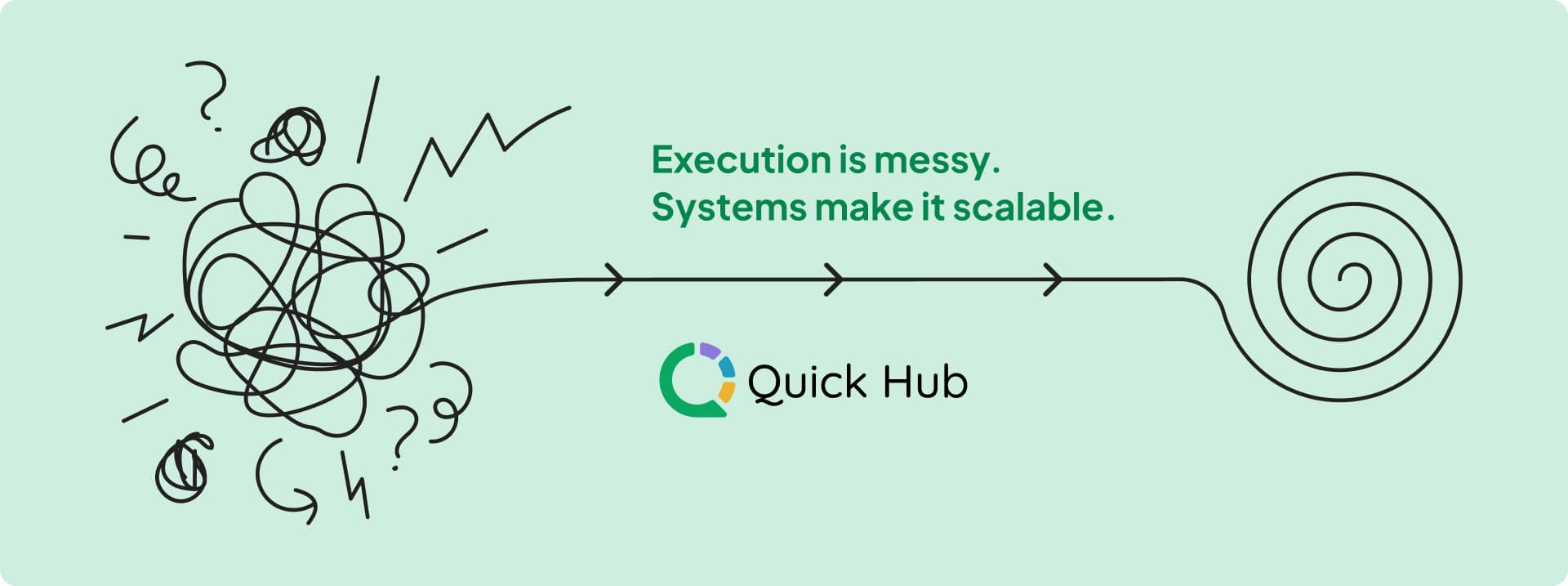
More leads arrive. More WhatsApp messages pile up. More email campaigns need sending. More social media posts demand consistency. More reports are expected, daily, weekly, monthly. Nothing breaks dramatically. There's no single failure point. Instead, performance leaks quietly.
The strategy still makes sense. The product still works. The demand is still there. But execution becomes the bottleneck.
Manual processes rely on three fragile things: memory, attention, and availability. And none of those scale. Humans forget. People get busy. Context switches kill focus. The moment volume increases, even great teams start:
- Missing follow-ups
- Delaying responses
- Reacting instead of operating
This is why productivity automation for SMBs isn't about working faster—it's about staying functional under pressure. If a task happens every day, every week, or after every customer action, it should not depend on manual effort.
Because repetition at scale doesn't reward hustle. It rewards systems, workflows, and business process automation. The businesses that feel constantly overworked aren't doing something wrong. They're simply doing too much manually in a world that demands automation.
What Business Automation Actually Means (No Buzzwords)
Business automation has been overcomplicated for far too long. Let's strip away the confusion.
Business automation is not:
- About replacing your team
- About installing massive enterprise software
- About "AI doing everything while humans disappear"
At its core, business process automation is incredibly simple:
When X happens → Y happens automatically.
That's it. A trigger. A rule. An action.
Real Examples:
- When a lead fills out a form → send a WhatsApp message
- When a customer messages after hours → send an auto-reply
- When a review is posted → notify the team
- When a deal closes → trigger a follow-up campaign
With modern workflow automation for small businesses, you're not building something complex. You're building logic-driven systems that respond instantly, without waiting for someone to notice, remember, or manually act.
Automation replaces:
- Waiting → with immediacy
- Memory → with logic
- Chaos → with repeatable, scalable workflows
And most importantly, it allows businesses to grow without adding stress, headcount, or complexity, because the system runs whether you're online or not.
That's not a buzzword. That's how modern businesses stay operational at scale.
The 21 Everyday Tasks SMBs Should Automate
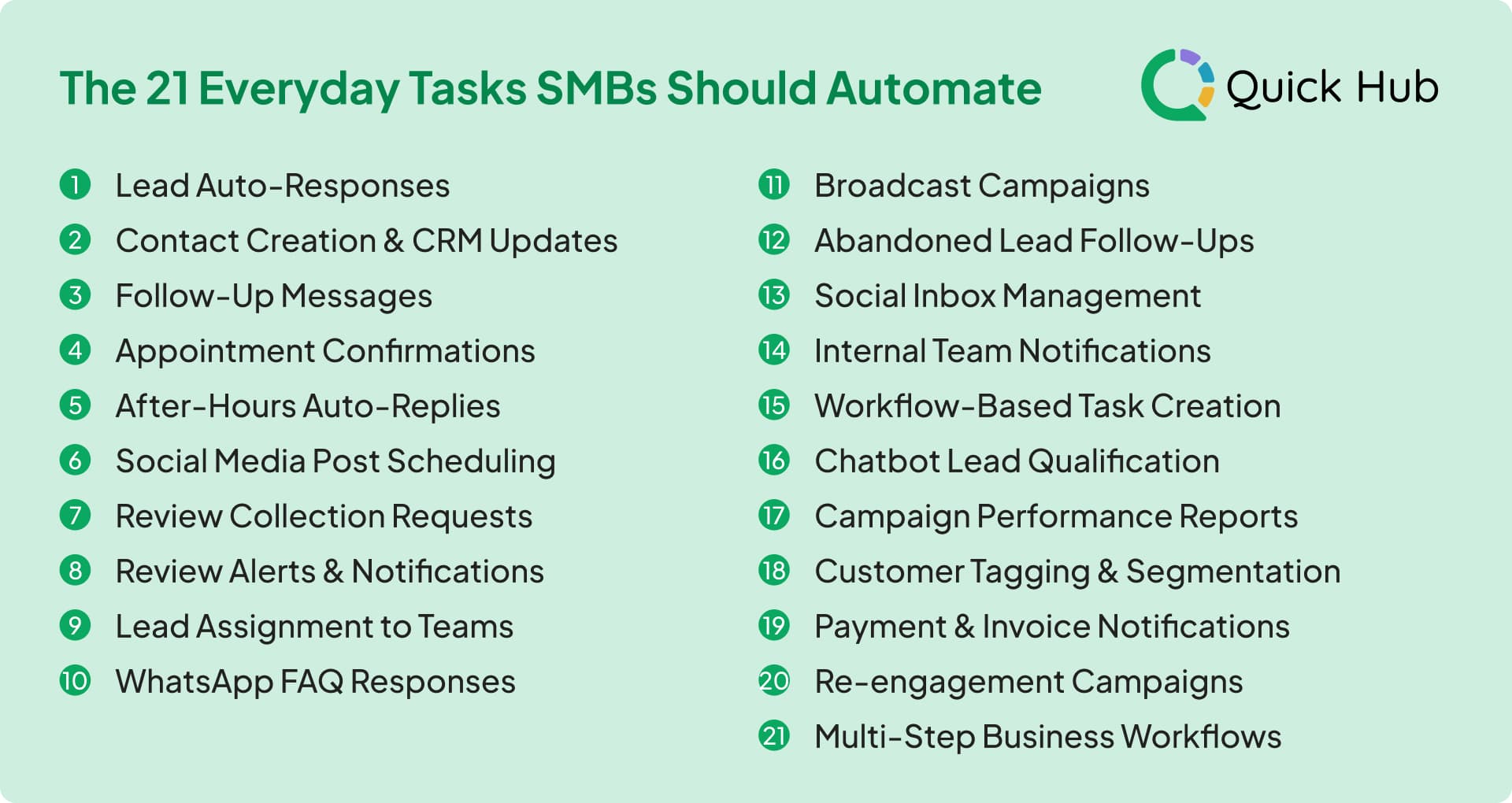
These aren't futuristic ideas or "nice-to-haves." These are everyday tasks that quietly steal hours and are perfect for small business automation:
Communication & Lead Engagement
1. Lead Auto-Responses Reply instantly when a lead comes in via WhatsApp, website, or ads. Faster responses = higher conversions.
2. After-Hours Auto-Replies Let customers know you've received their message, even outside business hours. Keeps engagement alive 24/7, and never misses a customer.
3. WhatsApp FAQ Responses Auto-handle common questions like pricing, availability, and timings. Save hours of repetitive replies that distract from real work.
4. Social Inbox Management Collect messages from all platforms in one place. Respond faster without app-switching and context loss.
Lead Management & Qualification
5. Contact Creation & CRM Updates Automatically save new leads to your CRM with tags and source data. No more manual entry or lost contacts buried somewhere.
6. Lead Assignment to Teams Route leads to the right person automatically. No delays, no confusion, no manual forwarding that causes information gaps.
7. Chatbot Lead Qualification Let bots ask basic questions before humans jump in. Teams focus only on high-intent conversations and spend time on deals that matter.
8. Customer Tagging & Segmentation Tag users automatically based on behavior. Smarter targeting without spreadsheets that become outdated instantly.
Follow-ups & Engagement
9. Follow-Up Messages Trigger automatic follow-ups if a lead doesn't respond. Stops deals from dying due to forgetfulness.
10. Abandoned Lead Follow-Ups Re-engage leads who stopped replying automatically. Recover revenue that would otherwise be lost to neglect.
11. Re-engagement Campaigns Trigger messages to inactive customers. Bring back revenue on autopilot without constant manual outreach.
12. Multi-Step Business Workflows Connect actions across tools and channels automatically. Your business runs even when you're not watching.
Customer Confirmations & Reminders
13. Appointment Confirmations Send instant confirmations and reminders via WhatsApp or email. Reduces no-shows without extra effort chasing customers.
14. Payment & Invoice Notifications Send reminders and confirmations automatically. Improve cash flow without chasing every single payment.
Review & Reputation Management
15. Review Collection Requests Automatically ask happy customers for reviews. Build reputation without awkward manual asks.
16. Review Alerts & Notifications Get notified instantly when a review is posted. Respond faster and protect your online reputation before damage spreads.
Marketing & Content
17. Social Media Post Scheduling Create once, schedule everywhere automatically. Stay consistent without daily posting stress driving team burnout.
18. Broadcast Campaigns Schedule WhatsApp, SMS, or email campaigns in advance. Reach customers without logging in every time.
Operations & Internal Coordination
19. Internal Team Notifications Trigger alerts when important actions happen. No more "Did anyone see this?" and missed handoffs.
20. Workflow-Based Task Creation Automatically create tasks when key events occur. Keeps execution moving without constant reminders.
21. Campaign Performance Reports Auto-generate summaries instead of pulling data manually. Decisions get faster and clearer with real-time insights.
How Automation Saves 5 Hours a Day (The Math)
Time loss in small businesses doesn't come from one big task. It comes from dozens of small, repeatable actions scattered across the day.
Here's what that actually looks like in real life:
90 Minutes on Follow-Ups
Replying to leads, checking who hasn't responded, sending "just checking in" messages, and remembering who needs attention next. None of this creates strategy, but all of it consumes time.
60 Minutes on Posting and Reporting
Manually posting on social channels, switching apps, pulling basic metrics, and answering the same "How did it perform?" questions from stakeholders.
45 Minutes on Coordination
Forwarding leads, updating teammates, checking statuses, reminding people, and filling gaps because nothing is connected.
45 Minutes on Repeated Admin
Copy-pasting data, updating spreadsheets, tagging contacts, and doing work that exists only because systems aren't talking to each other.
That's 5+ hours every single day.
The Automation Advantage
Automation doesn't save this time by helping you work faster. It saves it by eliminating the work entirely. When follow-ups trigger automatically, posts schedule themselves, workflows run in the background, and systems stay synced—those hours disappear. Not because you pushed harder, but because the system did the work for you.
Now, that's leverage.
Why Automation Compounds (Manual Work Never Does)
Manual work has a hard limit. It resets every single day. No matter how productive you were yesterday, today starts at zero:
- Messages still need replies
- Leads still need follow-ups
- Tasks still need execution
- Effort doesn't accumulate—it expires
Automation works differently. Automation compounds.
Every automated process becomes a permanent asset inside your business. The more workflows you build, the more leverage you gain:
- One automation saves minutes
- Ten automations save hours
- A connected system changes how the entire business operates
This is why scalable business systems always outperform hustle.
- Hustle depends on energy
- Systems depend on logic
- Energy fluctuates
- Logic doesn't
Manual effort produces output once. Automation produces output indefinitely. And in the long run, growth doesn't reward who works hardest—it rewards who builds the strongest systems first.
How SMBs Should Start Automating (Without Overwhelm)
Automation doesn't start with big systems or complex setups. It starts with one small decision:
"If you did it yesterday, automate it tomorrow."
That rule alone removes confusion. Most SMBs fail at automation because they try to automate everything at once. That creates complexity, frustration, and abandonment. The smarter approach is to automate what's already happening, not redesign your business overnight.
Phase 1: Communication Automation
Start with auto-replies for new leads. Instant acknowledgements for messages. Simple WhatsApp or email responses that remove waiting and keep engagement alive.
Phase 2: Follow-Up Automation
If someone doesn't reply, the system should. If a lead goes quiet, the workflow should react. No more relying on memory or scattered reminders.
Phase 3: Reporting Automation
Daily or weekly summaries sent automatically. No dashboards to pull. No manual tracking. Decisions get made faster with real data.
Phase 4: Workflow Automation & Campaigns
Once these basics are running, expanding into workflow automation campaigns becomes natural. You're not adding complexity—you're stacking leverage.
The goal isn't to automate faster. It's to automate calmer. Because the best automation doesn't feel technical. It feels like your business finally stopped depending on constant effort to function.
Where Quick Hub Fits In: Your Unified Automation Platform
This is where automation stops being theoretical and becomes practical, usable, and revenue-driven.
Most SMBs don't fail to automate because they lack intent. They fail because automation is scattered across too many disconnected tools:
- One platform for WhatsApp
- Another for email
- Another for CRM
- Another for ads
- Nothing talks to each other
Workflows break. Data fragments. Execution slows again.
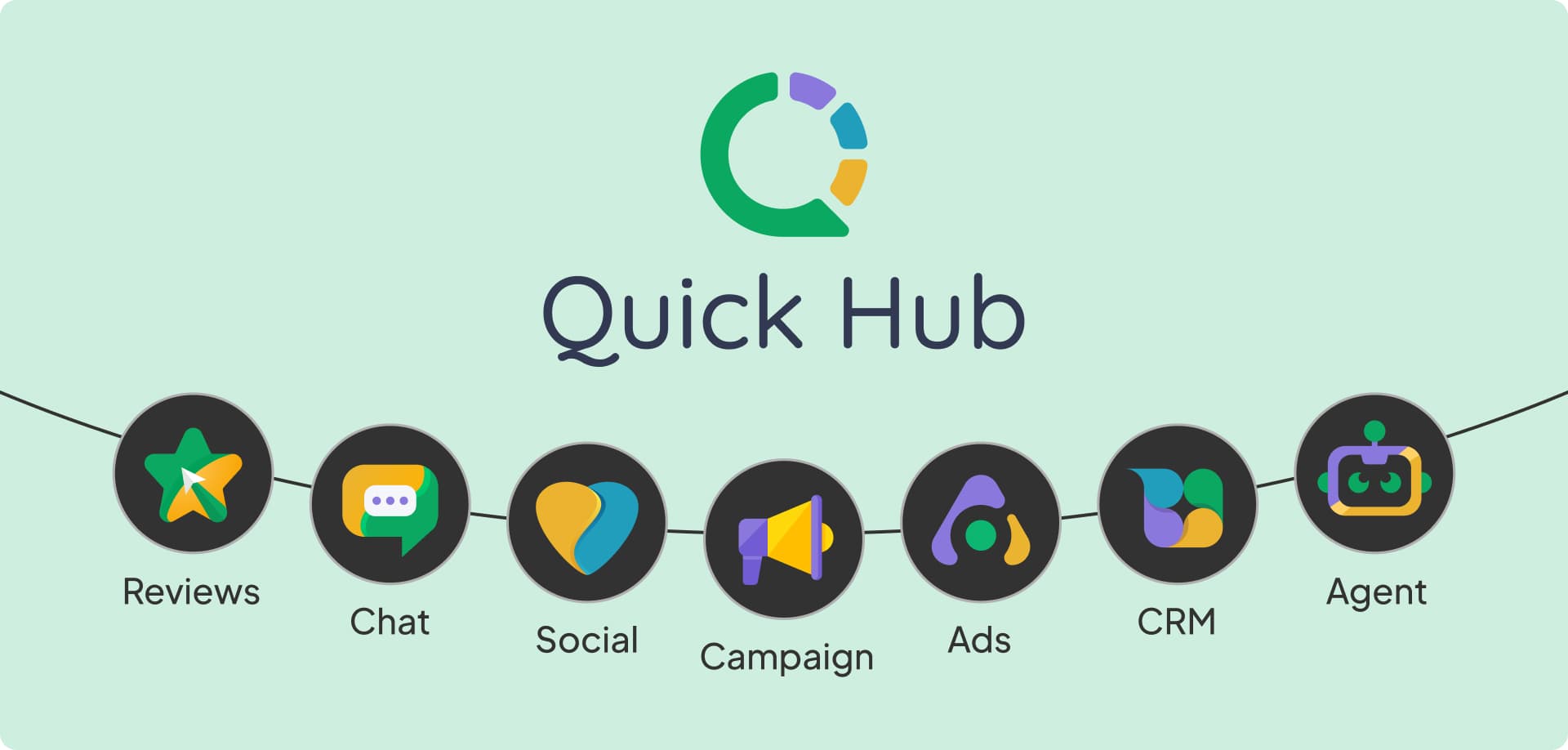
Quick Hub solves this by acting as a unified automation platform—one system that connects every stage of the customer journey instead of automating tasks in isolation.
The 8 Core Functions of Quick Hub
Quick Chat powers WhatsApp automation and chatbot workflows, handling instant replies, FAQs, lead qualification, and 24/7 customer conversations without manual effort.
Quick Campaign enables email, SMS, and WhatsApp campaign automation, letting businesses schedule, personalize, and trigger campaigns based on behavior, not guesswork.
Quick CRM becomes the central system of record, automatically capturing leads, tagging contacts, tracking follow-ups, and powering CRM workflows without spreadsheets.
Quick Social automates social media posting, inbox management, and engagement, keeping brands active and responsive across platforms from one dashboard.
Quick Ads simplifies ads automation, giving visibility into performance, campaign status, and lead flow, without juggling multiple ad platforms.
Quick Reviews automates review collection, monitoring, and response, turning customer feedback into reputation growth and local visibility.
Quick Agents add an AI-powered execution layer, generating content, responding intelligently, and assisting teams without replacing human judgment.
Workflow Automation ties everything together, connecting triggers, actions, and conditions across features so the business runs on logic, not memory.
The Difference: Connected vs. Disconnected
Instead of switching tools, Quick Hub connects conversations, campaigns, data, and decisions into unified workflows, turning everyday execution into a scalable growth system.
This means your SMB gets enterprise-level automation without enterprise complexity or cost.
Final Takeaway: Automation Is No Longer Optional
You don't need more hours in the day. You need systems that work even when you're not watching. That's the real shift happening in small and mid-sized businesses right now.
Small business automation isn't about doing less work or cutting corners. It's about removing the invisible tasks that drain energy without moving the business forward.
When execution is automated:
- Time is reclaimed for strategy
- Energy goes to relationships and creativity
- Growth decisions get the attention they deserve
- Instead of reacting all day, you start operating with intent
Here's the truth most businesses learn too late:
Hustle creates momentum. It helps you start. It gets things moving. But systems sustain growth. They keep momentum alive without burnout, chaos, or constant effort.
And growth—real, durable growth—always chooses systems over hustle in the long run.
The businesses that scale aren't the ones working the hardest. They're the ones that stopped doing everything manually and built automation that works for them, every single day.
The question isn't whether you should automate. It's how quickly you can start.
Wrap-up
Marketing automation shouldn't be complicated. QuickHub is designed to fit seamlessly into your workflow — whether you're nurturing leads, managing customer relationships, or launching campaigns on the fly.
If that sounds like the kind of platform you need — try QuickHub free today. No credit card required, and you can be up and running in minutes .